grommunio Web can be operated almost entirely from the keyboard. The shortcuts come in two levels:
- Basic shortcuts are on by default. They are safe for everybody and don't interfere with the shortcuts of your browser.
- Extended shortcuts add many more, for example to reply or to create items. Switch them on under Settings › Keyboard Shortcuts › Extended shortcuts on, then reload grommunio Web.
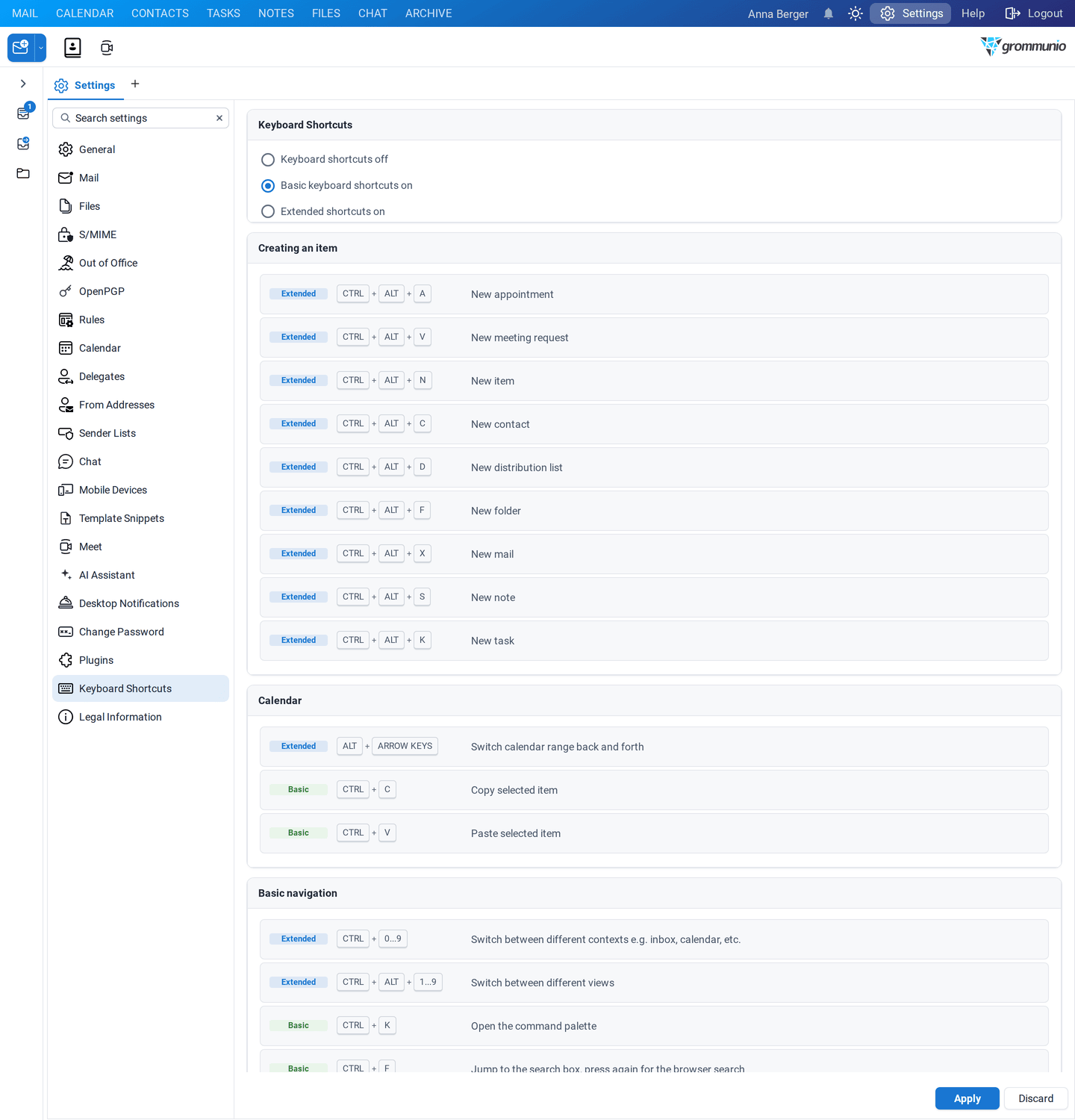
On a Mac, use Cmd instead of Ctrl and Option instead of Alt (except in Safari, where Ctrl is kept). Tooltips of buttons show their shortcut when it is active.
| Keys | Action |
|---|
| Ctrl+K | Open the command palette |
| Ctrl+F | Jump to the search box; press again for the browser's own search |
| Ctrl+Z / Ctrl+Y | Undo / redo the last action (when undo is switched on) |
| F5 | Refresh |
| Ctrl+A | Select all items |
| Enter | Open the selected item |
| Delete | Delete the selected item |
| Shift+Delete | Delete without moving to Deleted Items (can still be restored) |
| Ctrl+P | Print the selected or open item |
| Ctrl+S | Save the open item |
| Ctrl+Enter | Send the open mail, meeting request or task request |
| F2 | Rename the selected folder |
| Ctrl+C / Ctrl+V | Copy / paste an appointment in the calendar |
| Context-menu key or Shift+F10 | Open the context menu of the selected item |
| Keys | Action |
|---|
| Ctrl+0…9 | Switch to an application (Mail, Calendar, …) |
| Ctrl+Alt+1…9 | Switch between the views of an application |
| Ctrl+Alt+W | Close the current tab |
| Shift+Home / Shift+End | Extend the selection to the first / last item |
| Alt+S | Open a shared folder or mailbox |
| Keys | Action |
|---|
| Ctrl+Alt+N | New item of the current type |
| Ctrl+Alt+X | New mail |
| Ctrl+Alt+A | New appointment |
| Ctrl+Alt+V | New meeting request |
| Ctrl+Alt+C | New contact |
| Ctrl+Alt+D | New distribution list |
| Ctrl+Alt+K | New task |
| Ctrl+Alt+S | New note |
| Ctrl+Alt+F | New folder |
| Keys | Action |
|---|
| Ctrl+R | Reply |
| Ctrl+Alt+R | Reply all |
| Ctrl+F (in the mail list or reading pane) | Forward |
| Ctrl+E | Edit as new |
| Ctrl+Alt+U | Mark as read / unread |
| Ctrl+Alt+G | Set or complete the follow-up flag |
| Ctrl+G | Assign categories |
| Ctrl+M | Copy or move the selected items |
| Ctrl+Alt+P | Print the list |
| Keys | Action |
|---|
| Alt+← / Alt+→ | Previous / next day, week or month |