

Meet
grommunio Meet is the video conferencing service of grommunio. The Meet plugin connects it with grommunio Web: start a meeting with one click, or add a meeting link to an appointment so that every attendee can join from the invitation.
Switching Meet on
Section titled “Switching Meet on”- Open Settings › Plugins.
- Tick Meet and click Apply.
- Reload grommunio Web when asked.
A Meet button (camera icon) appears in the toolbar, and appointments and mails get an Add meeting button.
Starting a meeting
Section titled “Starting a meeting”Click Meet in the toolbar. grommunio Meet opens in a new tab:
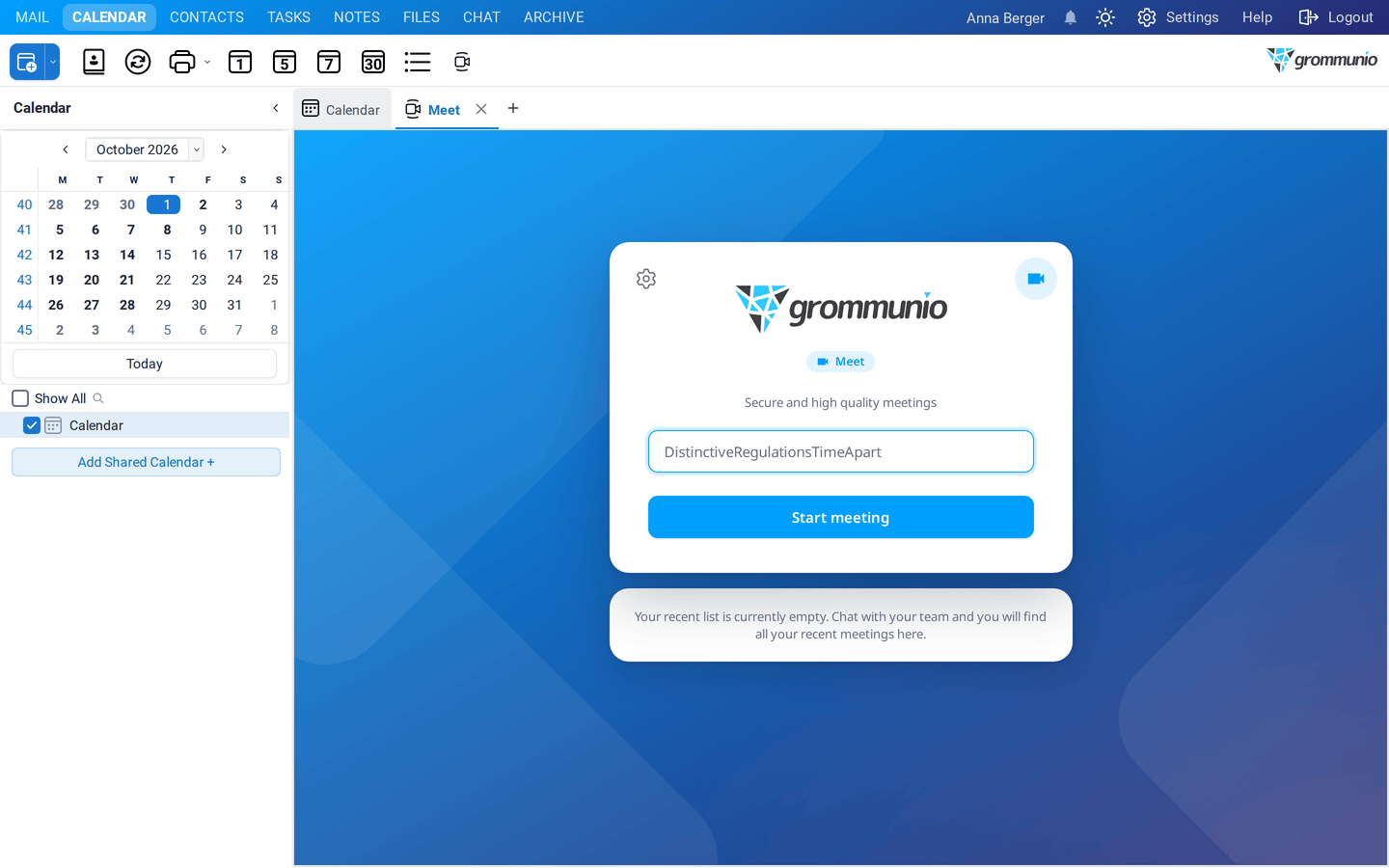
- Keep the suggested room name or enter your own.
- Click Start meeting.
- Allow your browser to use the camera and microphone.
- Share the address of the meeting with the people you want to invite.
Recent meetings are listed below, so you can join them again quickly.
Adding a meeting to an appointment
Section titled “Adding a meeting to an appointment”- Create an appointment or meeting request.
- Click Add meeting in its toolbar.
grommunio Web creates a meeting room, puts its address in the Location and adds an invitation with a Join Meeting button to the description:
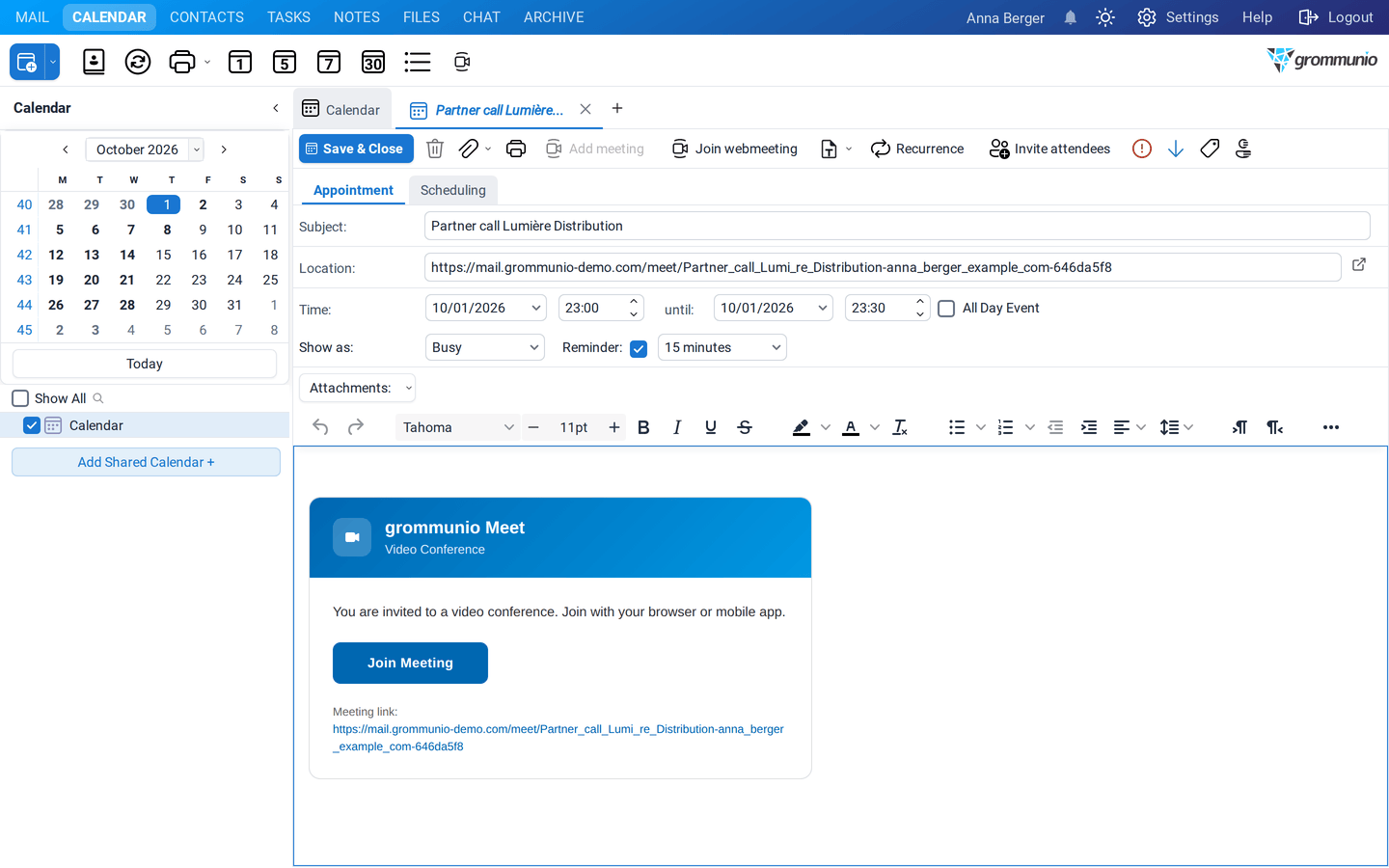
Send the invitation as usual. At the time of the meeting, everybody clicks Join Meeting in the invitation, or Join webmeeting in the toolbar of the appointment.
In a new mail, Add meeting inserts a meeting link into the text, for example for a spontaneous call.
Settings
Section titled “Settings”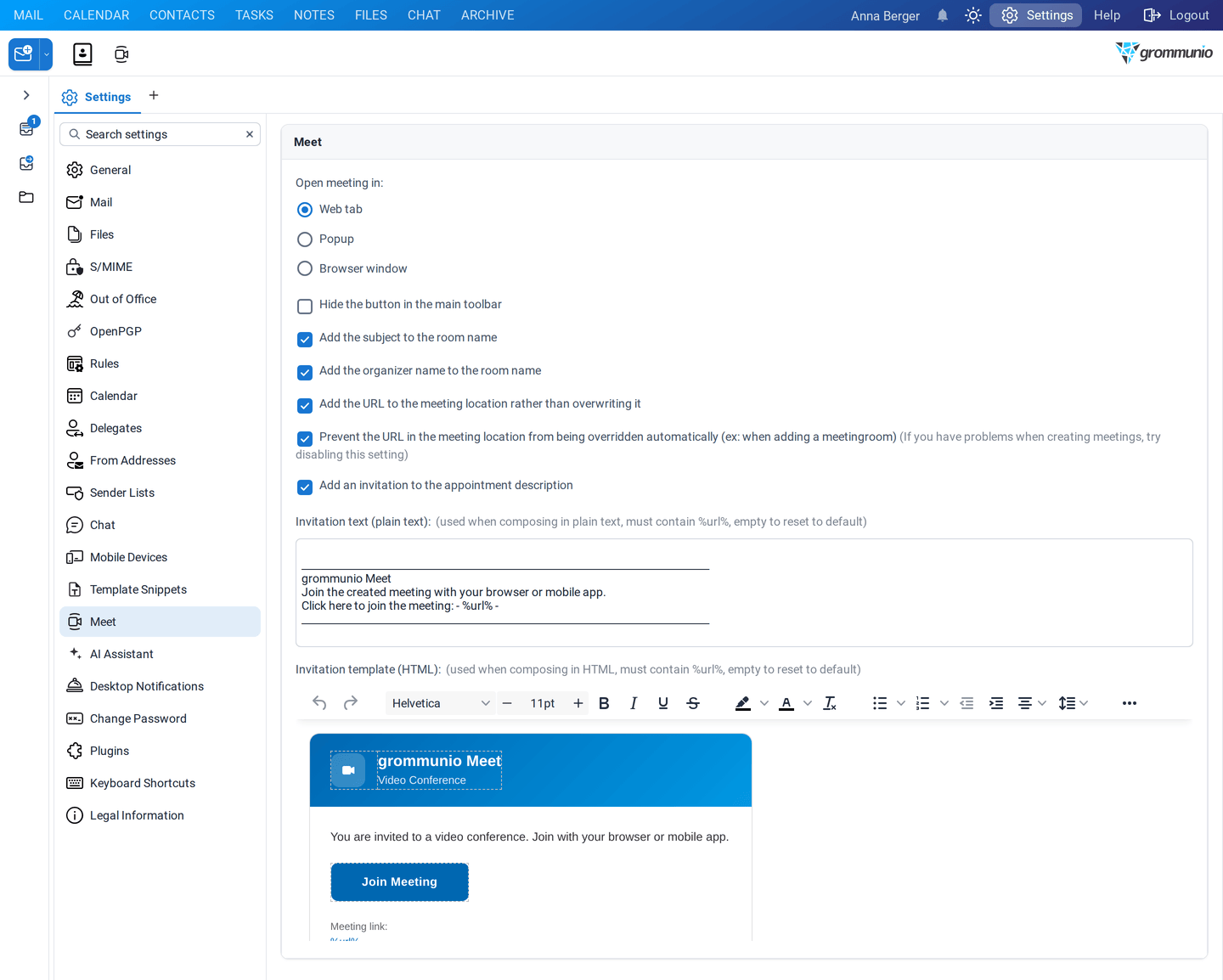
Under Settings › Meet you can choose:
- Open meeting in: a grommunio Web tab, a popup or a separate browser window,
- Hide the button in the main toolbar,
- whether the subject and the name of the organizer are added to the room name,
- whether the address is added to the location instead of replacing it, and whether it may be overwritten automatically (for example when you add a meeting room),
- whether an invitation is added to the description, and the text of the invitation (plain text and HTML;
%url%stands for the meeting address).